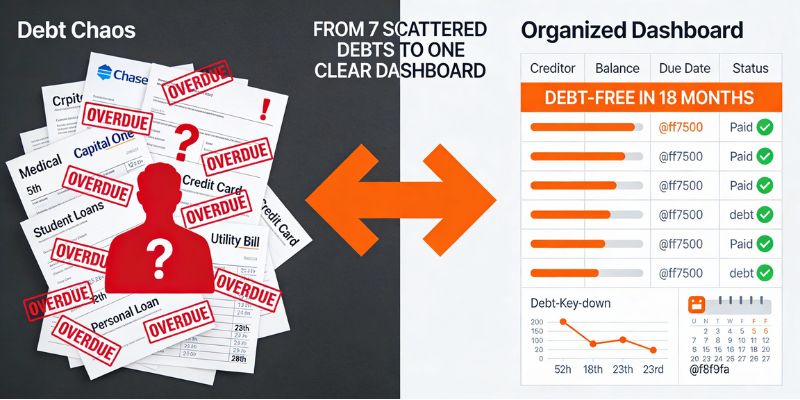



Stop Renting Your Budget: Why Smart Spreadsheets Are The Real "Mint Killer" in 2025
By Sarah | Updated: December 2025
Let’s be honest: paying a monthly subscription to save money feels backwards.
Since Mint shut down, I’ve watched the personal finance community scramble. We’ve all seen the Reddit threads. People are migrating to Monarch Money, Copilot, or YNAB. But then they see the price tag—$100 a year, indefinitely. For what? To look at your own bank data?
I’ve spent the last month testing the FamilyBridge Annual and Monthly Budget Planner (v2.8.6). It’s not an app. It doesn’t have a monthly fee. It’s a Google Sheet on steroids.
Here is why 2025 is the year we go back to spreadsheets—not the ugly black-and-white grids from the 90s, but automated, visual dashboards that actually work.
Why Google Sheets Wins Over Apps in 2025
Google Sheets offers 100% data privacy and zero recurring fees, making it the most cost-effective tool for long-term wealth building.
That is the short answer. But here is the reality I found in my testing.
When you use an app, you are renting your financial history. If you stop paying, you lose your charts. With a Google Sheet like the FamilyBridge planner, you own the file. It lives in your Drive. Nobody sells your data to credit card companies, and you can tweak it forever.
I used to hate spreadsheets because I hate math. I don't want to write formulas like =SUM(IF(ISERROR.... The beauty of this specific v2.8.6 planner is that the "nerd work" is already done. You just punch in "Groceries: $150," and the sheet automatically:
- Updates your "Left to Spend" amount.
- Adjusts your annual savings rate.
- Recalculates your debt-free date.
It’s the "lazy" way to be financially responsible.

The "Debt Destroyer" Logic: Snowball vs. Avalanche
The most effective debt payoff strategy depends on your psychology: use the Snowball method for motivation or the Avalanche method for math efficiency.
Most budget templates fail because they just track spending. They don't help you attack debt.
In my analysis of the FamilyBridge v2.8.6 planner, the Debt Repayment tab stood out because it doesn't force you into one box. It supports both major strategies.
How it works in the sheet:
- Input your debts: You list your credit cards, student loans, and car notes along with their interest rates and minimum payments.
- Choose your weapon:
- Snowball: The sheet highlights the smallest balance first. You pay that off, then roll that money into the next smallest. This is for people who need quick wins to stay motivated.
- Avalanche: The sheet targets the highest interest rate first. This saves you the most money mathematically but takes longer to see a balance hit zero.
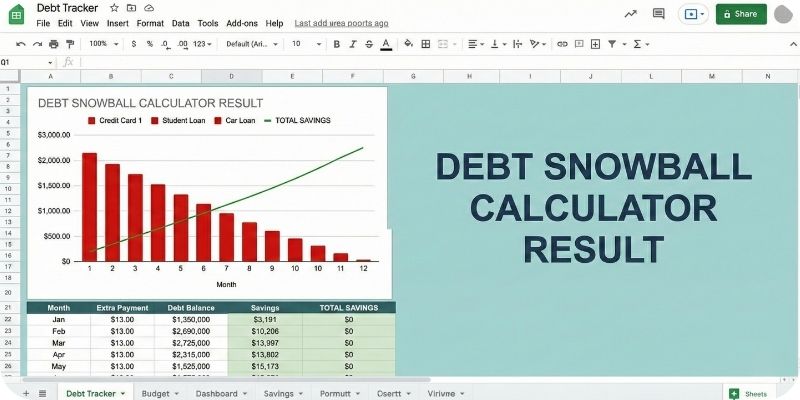
- The "What If" Factor: This was my favorite part. You can add an extra $100 to your monthly payment in the "Extra Payment" cell, and the sheet immediately updates your Debt Free Date. Seeing that date drop from "Oct 2028" to "Jan 2027" just because you packed lunch more often is incredibly motivating.
Visualizing the Data: A Dashboard That Doesn't Look Like Excel
A financial dashboard must answer three questions in under 5 seconds: How much did I make? How much did I spend? What is left?
The biggest complaint about spreadsheets is that they are ugly. Rows and columns numb the brain. The FamilyBridge planner solves this by using a "Input" vs. "Output" structure.
Key Visual Features:
- The Cash Flow Circle: A simple pie chart that breaks down Needs vs. Wants vs. Savings. If the "Wants" slice is bigger than 30%, the sheet screams at you (visually) to slow down.
- The Annual Heatmap: This tracks your spending month-over-month. You can spot seasonal leaks instantly. (e.g., "Why did I spend $800 on 'Dining Out' in November?")
- Bill Calendar: It includes a smart calendar that flags upcoming bills so you don't get hit with late fees.
Zero-Based Budgeting: Giving Every Dollar a Job
Zero-based budgeting is a method where your Income minus Expenses equals zero, ensuring every dollar is allocated to spending, saving, or debt.
This is the philosophy that made YNAB famous, but you can do it here for free.
In the FamilyBridge sheet, you start the month by entering your expected income. Let's say it's $4,000. The sheet then asks you to allocate that $4,000 completely.
If you have $50 left over, the sheet shows a "To be Budgeted" alert. You must assign that $50 to something—even if it's just "Emergency Fund."
Why this matters: When you leave money "unassigned" in your bank account, it tends to vanish. We call this "phantom spending." By forcing the balance to zero in the sheet, you stop the leaks before they happen.
What Real Users Are Saying
"Finally broke up with YNAB. I was tired of the price hikes. This sheet gives me the exact same 'give every dollar a job' logic but without the monthly bill. Best money I spent this year."
— Sarah M. (Verified Purchase)
"I am not a spreadsheet guy. I usually break formulas just by looking at them. This planner is foolproof. The 'Start Here' tab walked me through it in 5 minutes, and the graphs are beautiful."
— David K. (Verified Purchase)
How to Get Started (The 15-Minute Setup)
You don't need a degree in accounting. Here is the exact workflow I used to get this running:
- Download & Copy: Get the planner. It will prompt you to "Make a Copy" to your own Google Drive.
- The "Start Here" Tab: Set your currency (USD, EUR, GBP, etc.) and your start date.
- Custom Categories: Delete the default categories that don't apply to you. Add the ones you need.
- Bank Export: Log into your bank, download your last month's CSV, and copy-paste the transactions into the "Transactions" tab.
- Review: Go to the Monthly Dashboard. Look at the red numbers. That’s your reality check.
Final Thoughts: Ownership vs. Subscription
Budgeting apps are convenient, but they make you passive. A good Google Sheet forces you to be active. You have to look at the numbers. You have to touch the data.
If you are ready to stop renting your financial clarity and start owning it, this planner is the toolkit you need.
People Also Ask (FAQ)
Is Google Sheets safe for personal finance?
Yes, Google Sheets is secure as long as you protect your Google Account. Unlike third-party budgeting apps that require read/write access to your bank credentials, a spreadsheet lives offline or in your private cloud. You are not sharing your bank passwords with an aggregator; you are simply inputting the numbers yourself.
What is the difference between the Snowball and Avalanche debt methods?
The Snowball method focuses on paying off the smallest debt balance first to build psychological momentum. The Avalanche method focuses on paying off the debt with the highest interest rate first to save money on interest over time. A good budget spreadsheet should allow you to toggle between both to see which fits your style.
Can I use this Google Sheet on Excel?
Technically yes, but it is not recommended. This planner is built with "Google Apps Script" and specific formulas (like QUERY and SPARKLINE) that are native to Google Sheets. Exporting it to Excel often breaks the automation and the interactive charts. It is best to use it in the free Google Sheets app on your phone or browser.
How does this compare to YNAB (You Need A Budget)?
YNAB is a paid software (subscription) that automates the "envelope method." The FamilyBridge planner uses the same zero-based budgeting philosophy but requires manual transaction entry (or CSV pasting). The trade-off is cost: YNAB costs ~$100/year, while this spreadsheet is a one-time purchase that you own forever.